
Your budget has limits.
ClaGuard monitors every token and dollar you spend with Claude Code. Set limits, get notified, stay in control — all from your system tray.
Set it once.
Never overspend again.
Install & sign in
Download ClaGuard for your platform and launch it. Sign in to your claude.ai account during setup — no API keys or configuration needed.
Set your limits
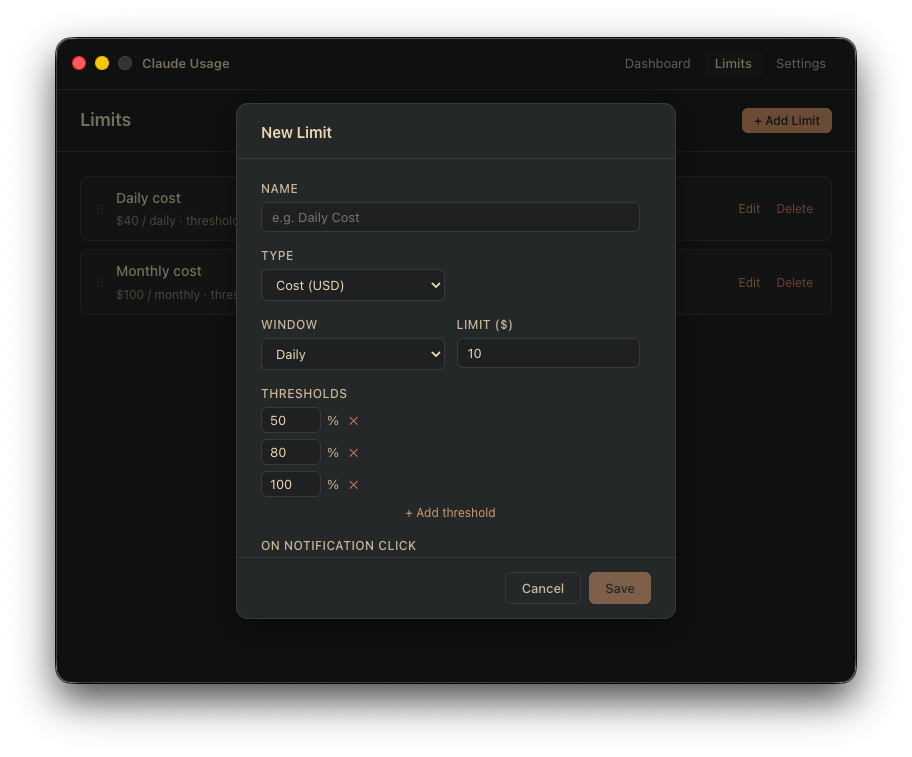
Define daily and monthly limits in USD or tokens. Configure thresholds at 50%, 80%, 100% — or any combination that fits your workflow.
Get alerted
ClaGuard syncs your usage every 10 minutes. Native desktop notifications fire the moment you cross a threshold. The tray icon shows your budget health at a glance.
Your usage, always visible.
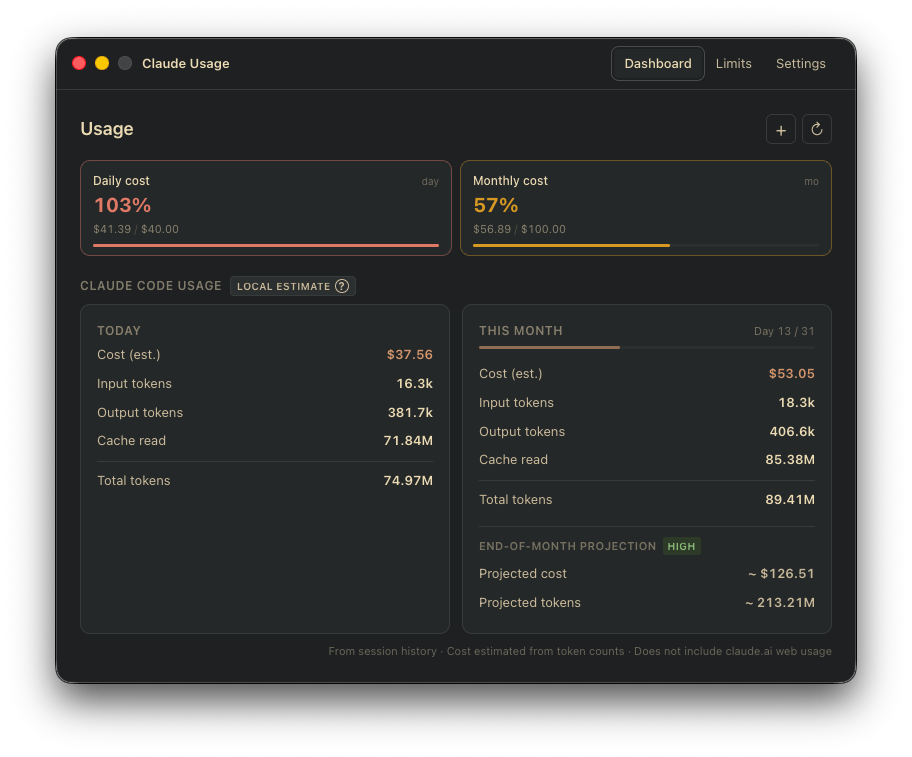
A clean dashboard shows daily and monthly token + cost totals with progress bars toward each limit. Always one click away from your system tray.
Fine-grained control over every dimension.
Create limits in USD or tokens, scoped to daily or monthly windows. Each limit gets its own threshold steps — warn at 50%, alert at 80%, hard stop at 100%.
Budget health at a glance.
The menu bar icon changes color based on your worst active threshold. Green means you're fine. Red means you've hit a limit. No need to open the app.
Fully private. No accounts. No cloud.
All data stays on your machine, stored in a local SQLite database. ClaGuard has no backend, no telemetry of its own, and makes no outbound requests.
- No account required
- No cloud sync or remote storage
- No usage tracking by ClaGuard itself
- Free to download, no subscription needed
Coming Soon
ClaGuard is not yet available for download.
Follow @webbegg/claguard to be notified when it's ready.